Download Roblox APK – Latest Android Version, Installation Guide & Features
Roblox is a popular online gaming platform that allows players to explore millions of interactive experiences, create virtual worlds, customize characters, and connect with friends. Whether you enjoy adventure games, racing challenges, role-playing activities, survival experiences, or obstacle courses, Roblox offers something for different types of players.
What Is Roblox Mod APK?
Are you looking for the Download Roblox APK page to learn how to install Roblox on your Android smartphone or tablet? Roblox is a popular online gaming platform where players can explore millions of user-created experiences, customize their avatars, connect with friends, and enjoy different multiplayer games.
From exciting adventure challenges and racing competitions to role-playing games and creative building experiences, Roblox offers entertainment for different types of players. Its flexible gaming environment allows users to discover new experiences rather than being limited to a single game.
Many users also search for Roblox Mod APK, Roblox Admin Panel, Roblox Admin Commands, Roblox Voice Chat, and Roblox APK latest version. These searches reflect interest in additional features, customization, and different ways to access Roblox.
In this guide, you will learn about Roblox APK, its main features, Android compatibility, installation instructions, important safety considerations, and common download problems.
Important: Roblox Corporation officially distributes Roblox. Roblox Mod APK is not an official release, and third-party modifications cannot guarantee unlocked Robux, administrator privileges, or premium features. This guide focuses on safe installation of the official Android application.
Why Download Roblox APK for Android?
Here are some reasons why players choose the Android version:
Convenient access: Play supported Roblox experiences using a compatible smartphone or tablet.
Portable entertainment: Enjoy games without needing a desktop computer.
Touchscreen controls: Use on-screen controls for movement, jumping, and other actions.
Account synchronization: Sign in to your existing account to access supported account features across devices.
Large gaming library: Explore different experiences without installing a separate application for every Roblox game.
Social features: Connect with friends and participate in supported multiplayer activities.
The Android version is especially useful for people who prefer playing games while travelling or relaxing away from their computers.
How to Download Roblox APK on Android
The safest way to download Roblox is through the official Google Play Store.
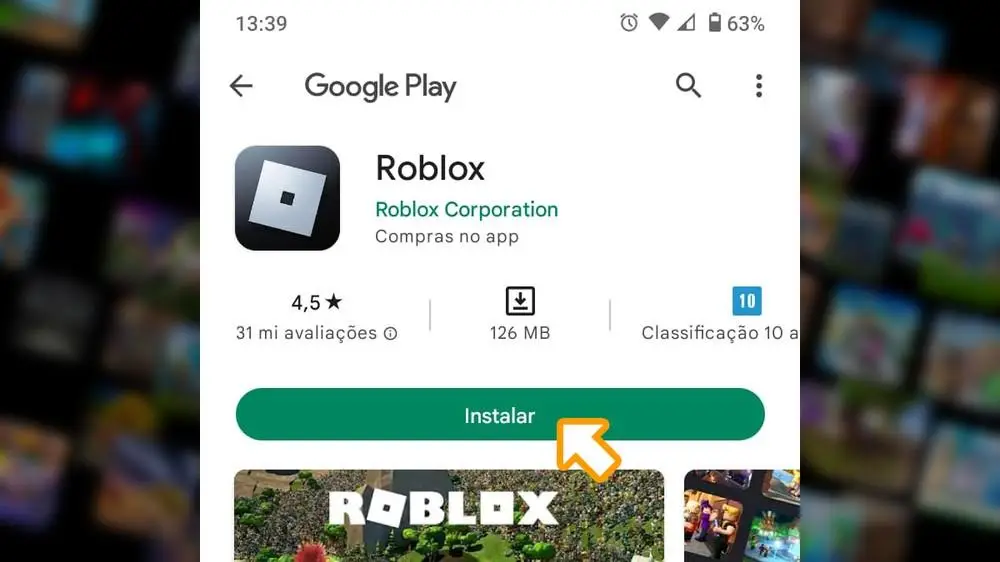
Follow these steps to install the application.
Step 1: Open Google Play Store
Unlock your Android smartphone and open Google Play Store. Make sure you are using the correct Google account.
Step 2: Search for Roblox
Type Roblox into the search bar and locate the official application published by Roblox Corporation.
Step 3: Check Application Details
Before installation, review the developer name, application information, available updates, and device compatibility.
Step 4: Tap Install
Select the Install option and wait while your device downloads the application.
Step 5: Open Roblox
Once installation is complete, tap Open to launch the application.
Step 6: Sign In or Create an Account
Existing users can sign in with their Roblox accounts. New users can follow the account registration process.
Step 7: Explore Games
After signing in, browse the available experiences and select a game that interests you.
Can You Install Roblox Using an APK File?
Yes, Android supports manual APK installation. However, users should be careful when downloading application packages from websites outside recognized app stores.
Roblox Mod APK is an unofficial term used by third-party websites. Such packages may claim to provide special features, unlocked content, or additional controls, but those claims are not guaranteed.
If you choose to investigate a manually distributed APK, consider the following:
- Verify the publisher and source.
- Check the file’s authenticity and integrity.
- Avoid packages requesting unnecessary permissions.
- Never enter account credentials on unfamiliar websites.
- Do not install files claiming to generate unlimited Robux.
- Prefer the official application whenever possible.
An APK file should not be considered safe simply because a website describes it as the latest version.
Roblox Mod APK vs Official Roblox APK
Many users compare the official application with modified versions before downloading.
| Comparison | Official Roblox | Roblox Mod APK |
|---|---|---|
| Developer | Roblox Corporation | Third-party publisher |
| Official support | Yes | No |
| Security updates | Official updates | Not guaranteed |
| Game access | Supported experiences | Not guaranteed |
| Free Robux | No unlimited generator | Claims may be misleading |
| Admin commands | Game permissions required | Cannot guarantee access |
| Voice chat | Eligibility-based | Cannot bypass requirements |
| Account protection | Official protections | Additional risks |
| Compatibility | Supported devices | Depends on modification |
The official application is the recommended choice for players who want reliable access to Roblox experiences.
Roblox APK Compatibility and Requirements
Before downloading the application, make sure your Android device is compatible.
Roblox performance depends on several factors, including:
- Android operating system version.
- Available storage space.
- RAM and processor performance.
- Graphics capabilities.
- Internet connection stability.
- Requirements of the selected experience.
Not all Roblox experiences have identical hardware requirements. A simple obstacle course may perform differently from a detailed multiplayer environment.
Android Phones and Tablets
Roblox supports compatible Android smartphones and tablets. Larger displays may provide additional viewing space, while smaller phones offer convenient portable gameplay.
Chromebook
Some Chromebooks support Android applications through Google Play. However, availability depends on the specific Chromebook model, operating system, and app compatibility.
PC and Windows
If you want to play Roblox on a computer, use the official Windows application rather than attempting to run an Android APK directly.
The desktop version provides keyboard and mouse controls and access to supported Roblox experiences.
How to Update Roblox APK to the Latest Version
Updating Roblox is important because older versions may experience compatibility problems, errors, or missing features.
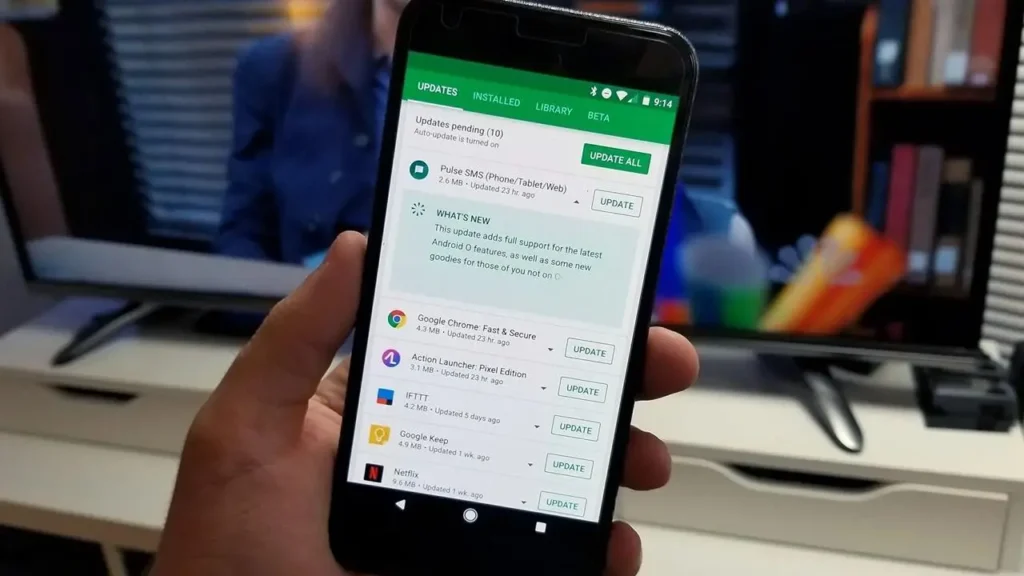
Follow these instructions:
- Open Google Play Store.
- Search for Roblox.
- Open the official application listing.
- If an update is available, tap Update.
- Wait for the update to finish.
- Launch Roblox and check whether everything works correctly.
If you do not see an Update button, your installed application may already be up to date or an update may not yet be available for your device.
Avoid downloading random older versions just to solve a temporary problem.
Roblox Admin Panel and Admin Commands
Some users search for Roblox Mod Admin Panel because they want additional controls during gameplay.
Admin panels are generally developed by individual Roblox experience creators. Depending on the game, authorized administrators may receive access to player management, moderation, teleportation, and selected game settings.
Admin commands also differ between experiences.
For example, one game may support commands for managing players, while another may offer no administrative command system.
Remember that downloading Roblox APK does not automatically provide administrator permissions. Only authorized roles and game-specific systems determine access.
Roblox Voice Chat on Android
Voice chat is another feature that attracts mobile players.
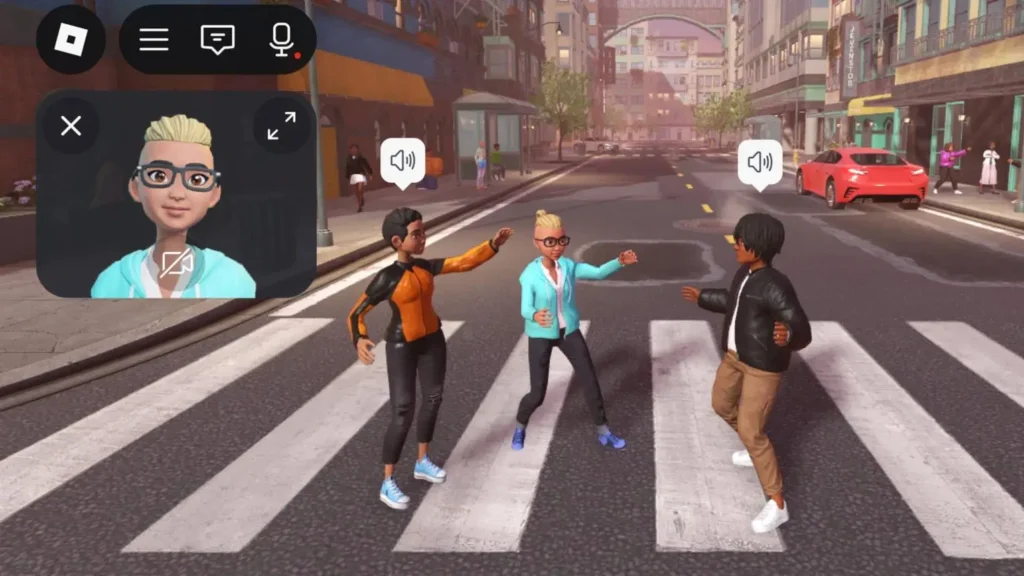
To use voice communication:
- Sign in to your Roblox account.
- Check your account’s age-check eligibility.
- Review the available communication settings.
- Allow microphone permissions when prompted.
- Join an experience that supports voice chat.
Voice chat availability can vary by location and account eligibility. Users should also follow Roblox community standards when communicating with other players.
Frequently Asked Questions
1. Is Roblox APK free to download?
Yes. The official Roblox Android application is free to download. However, optional purchases and certain virtual items may require Robux.
2. Is Roblox Mod APK official?
No. Roblox Mod APK is an unofficial third-party term. Roblox Corporation does not officially release a universal modified APK.
3. Can I download Roblox on Android?
Yes. You can download Roblox on compatible Android devices through Google Play Store.
4. Does Roblox APK provide free Robux?
No legitimate Roblox APK provides unlimited free Robux. Be careful with websites advertising Robux generators or free currency downloads.
5. Can I play Roblox without internet?
Roblox is primarily an online gaming platform. An internet connection is required to access its online experiences.
6. Can I use Roblox on PC?
Yes. Roblox has an official desktop version for supported computers. Download it through the official Roblox website.
7. Does Roblox support voice chat?
Yes. Eligible users can access voice chat in supported experiences, subject to account and regional requirements.
8. Can I use Roblox admin commands?
Yes, if the selected experience supports them and your account has the required administrative permissions.
9. Is Roblox available worldwide?
Roblox is available in many countries. However, certain features and services may have regional restrictions.
10. How can I update Roblox?
Open Google Play Store, search for Roblox, and select Update if a newer version is available.
Final Words
Roblox is a versatile online gaming platform that brings together multiplayer entertainment, avatar customization, creative development, and millions of user-created experiences.
With the official Download Roblox APK feature option, Android users can access their accounts, discover different games, and connect with friends through supported features.
Whether you are interested in adventure games, racing competitions, admin commands, voice chat, or character customization, Roblox provides plenty of opportunities to explore.
For a safer and more reliable experience, download the official application, keep it updated, and avoid unknown modified packages promising unlimited Robux or unauthorized administrative access.