Roblox Tips & Tricks – Complete Guide to Improve Your Gameplay
Discover useful Roblox tips and tricks to improve your gaming skills, customize your avatar, explore new experiences, protect your account, and enjoy multiplayer games. Whether you are a beginner or an experienced player, these practical suggestions can help you get more out of Roblox.
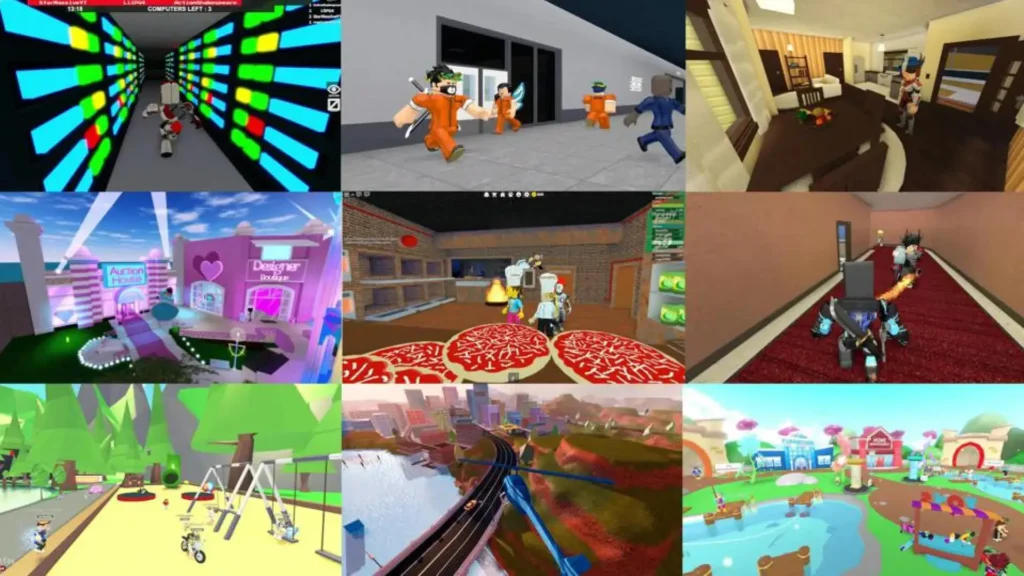
Introduction to Roblox Tips & Tricks
Roblox is an online gaming platform where players can explore millions of user-created experiences. You can enjoy adventure games, obstacle courses, racing challenges, roleplay worlds, simulators, and many other genres.
However, every Roblox experience has different gameplay mechanics. Some games require quick reactions, while others focus on strategy, teamwork, exploration, or creativity. Learning a few useful Roblox tips and tricks can help you understand games faster and make your experience more enjoyable.
This guide covers practical gameplay techniques, avatar customization, controls, multiplayer strategies, account security, and common mistakes to avoid.
Learn the Game Controls
One of the best ways to improve your Roblox experience is to explore different game categories. Do not limit yourself to a single type of experience.
Here are some popular categories to try:
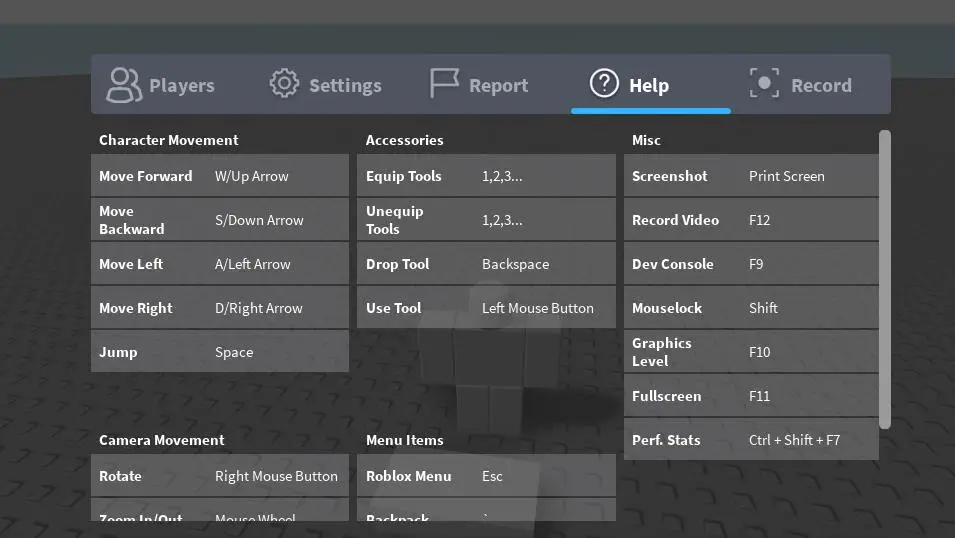
Basic PC Controls
Many Roblox PC experiences use familiar keyboard and mouse controls.
| Key | Common Function |
|---|---|
| W | Move forward |
| A | Move left |
| S | Move backward |
| D | Move right |
| Spacebar | Jump |
| Shift | Sprint in supported games |
| Mouse | Camera movement and interaction |
| Esc | Open menu |
Remember that individual game developers can customize controls. Check the in-game instructions if a key does not work as expected.
Mobile Controls
On Android and iOS devices, Roblox generally uses touchscreen controls.
- Use the virtual joystick to move your character.
- Drag the screen to adjust the camera.
- Tap available buttons to jump or perform actions.
- Follow the game’s on-screen instructions.
- Keep your fingers clear of important screen elements.
Practice basic movement in a less challenging experience before entering competitive gameplay.
Improve Your Movement Skills
Movement is an important part of many Roblox games. Obstacle courses, racing experiences, and adventure games often require accurate movement and good timing.
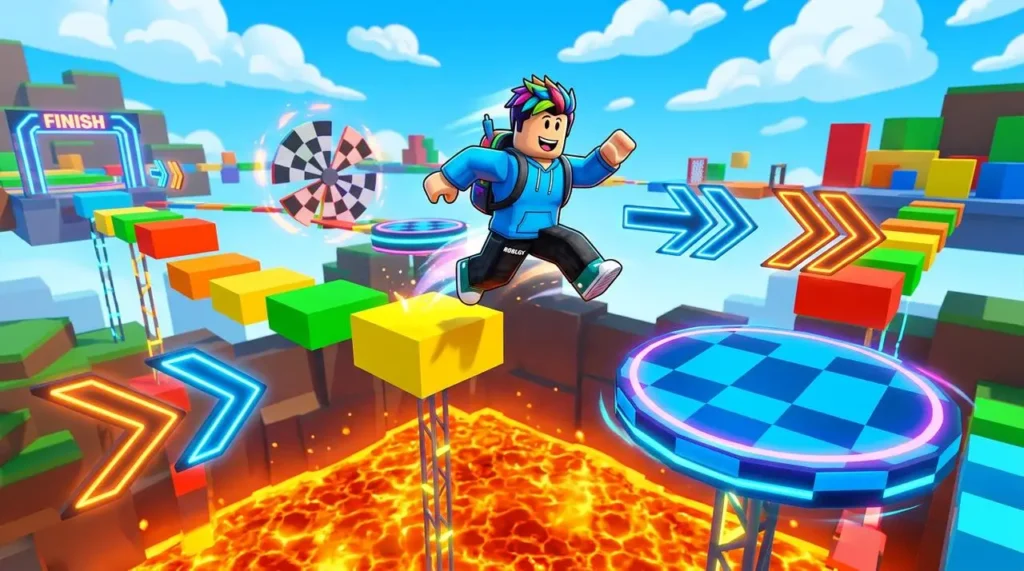
Try these techniques:
Practice jumping: Learn how far your character can jump and how to control movement while airborne.
Watch the platform: Before jumping, check the distance and position of the next platform.
Avoid rushing: Moving too quickly can cause mistakes, especially in difficult obstacle courses.
Control your camera: Adjust your camera angle to see obstacles and landing areas more clearly.
Repeat difficult sections: Repeating a challenging section can help you understand its timing and movement requirements.
Improvement comes through practice. Do not worry if you fail several times while learning a difficult course.
Customize Your Roblox Avatar
Avatar customization is one of Roblox’s most recognizable features. You can change your character’s appearance using available clothing, accessories, animations, and other avatar items.
Some useful customization ideas include:
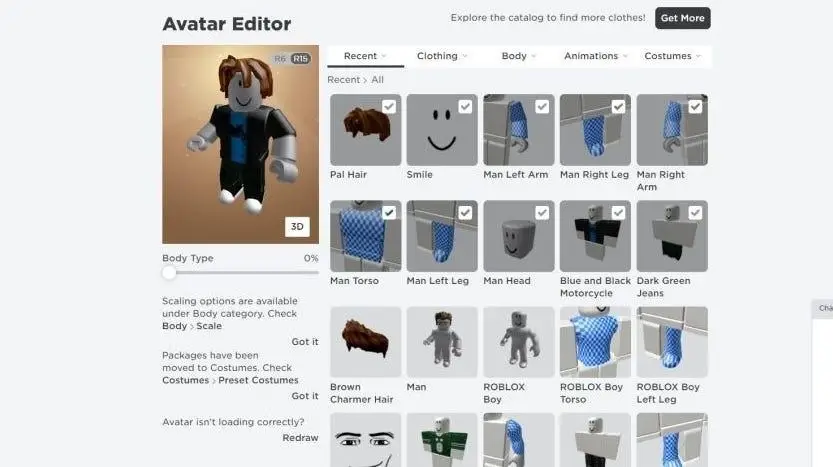
- Choose clothing that matches your preferred style.
- Experiment with different hairstyles and accessories.
- Explore free avatar items when available.
- Try different body and animation options.
- Create separate looks for different themes.
- Review item details before making a purchase.
How to Customize Your Avatar
- Open Roblox and sign in to your account.
- Navigate to the Avatar section.
- Browse available clothing and accessories.
- Select an item you want to use.
- Apply the item to your character.
- Preview your avatar before leaving the editor.
Some accessories and clothing items require Robux. Always check the price before purchasing anything.
Roblox Tips for PC Players
PC players can benefit from keyboard and mouse controls, particularly in experiences that require accurate movement or camera control.
Try these suggestions:
- Learn the keyboard shortcuts used by your experience.
- Adjust mouse sensitivity if camera movement feels uncomfortable.
- Use a stable internet connection.
- Close unnecessary applications before launching a demanding game.
- Keep your graphics drivers updated.
- Use the official Roblox desktop application or supported website experience.
You can also explore different genres to understand which controls and strategies work best for you.
Keep Your Roblox Account Safe
Account security should always be a priority. Fake websites, suspicious downloads, and free Robux offers can put your account at risk.
Follow these important safety practices:
- Create a strong and unique password.
- Enable available account security features.
- Never share your password with other players.
- Avoid suspicious links and messages.
- Do not enter login details on unofficial websites.
- Review your account settings regularly.
- Use official Roblox channels for account-related support.
Avoid Fake Free Robux Generators
Websites claiming to provide unlimited free Robux in exchange for your username, password, or verification steps should be treated as suspicious.
Robux should be obtained through legitimate Roblox-supported methods. Never share account credentials to receive virtual currency.
Avoid Unofficial Roblox Mod APKs
Many websites advertise Roblox Mod APK downloads with claims such as:
- Free Robux.
- Unlimited money.
- Universal admin panel.
- God mode.
- All premium items unlocked.
- Special administrator badges.
These claims should not be accepted without reliable verification. Modified applications are unofficial and may contain unwanted software, request unnecessary permissions, or put your account and personal information at risk.
They may also stop working after Roblox updates.
For a safer experience, use the official Roblox application from Google Play or the official Roblox website. You can explore the platform without installing unknown modified files.
Common Roblox Mistakes to Avoid
Even experienced players sometimes make mistakes that affect their gameplay.
| Common Mistake | Better Approach |
|---|---|
| Rushing through obstacles | Focus on timing and accuracy |
| Ignoring instructions | Read the game tutorial |
| Spending Robux quickly | Review purchases first |
| Using unknown scripts | Avoid untrusted downloads |
| Sharing account details | Keep credentials private |
| Ignoring updates | Use the latest official version |
| Playing without a strategy | Understand the game’s objectives |
Learning from mistakes is an important part of improving your skills.
Useful Roblox Tips for Beginners
If you are new to Roblox, start with these simple recommendations:
- Explore beginner-friendly experiences.
- Learn basic movement and camera controls.
- Try different game categories.
- Customize your avatar using available items.
- Read experience descriptions before joining.
- Learn how checkpoints and rewards work.
- Play with trusted friends.
- Review privacy and account settings.
- Avoid suspicious offers and unofficial downloads.
You do not need to master everything immediately. Start with simple games and gradually try more challenging experiences.
Frequently Asked Questions (FAQs)
1. What are the best Roblox tips and tricks?
The best Roblox tips include learning game controls, practicing movement, exploring different experiences, customizing your avatar, improving performance, and protecting your account.
2. How can I improve my Roblox gameplay?
Practice regularly, understand the objectives of each experience, learn its controls, and use strategies that match the game genre.
3. Can I get free Robux using Roblox tricks?
There is no legitimate universal trick that generates unlimited Robux. Avoid websites and applications promising free currency in exchange for account details.
4. How do I use admin commands in Roblox?
Admin commands are controlled by individual experience developers. You can use them only when the experience grants your account the required permissions.
5. Can I customize my Roblox avatar for free?
Yes. Roblox offers some free avatar items, although certain clothing, accessories, and other items may require Robux.
6. How can I reduce Roblox lag?
Reduce graphics quality, close background applications, check your internet connection, and keep Roblox updated.
7. Are Roblox Mod APK files safe?
Unofficial modified APK files can create security, privacy, and account risks. The official Roblox application is the recommended option.
8. Can I play Roblox with friends?
Yes. Roblox supports multiplayer experiences where you can join friends, explore games, and participate in activities together.
9. Does Roblox support Android and PC?
Yes. Roblox is available on supported Android devices and Windows PCs, along with other supported platforms.
10. How can I find hidden secrets in Roblox games?
Explore different areas, inspect unusual objects, read clues, and look for hidden paths. Secret locations depend on the individual experience.
Final Thoughts
Roblox offers a wide variety of experiences, from simple obstacle courses to complex multiplayer adventures. Learning useful Roblox tips and tricks can help you improve movement, understand game mechanics, customize your avatar, and enjoy playing with friends.
Focus on practicing your skills, exploring different genres, and following safe gaming habits. Most importantly, use official Roblox applications and avoid suspicious downloads or websites promising unlimited Robux and universal admin access.
With patience and regular practice, you can become more confident and enjoy everything the Roblox platform has to offer.